Open!!!Urgent
Plaster walls, 2nd floor, rooms 4–6Mitte office · by 12 OctoberCrew tasks
and site schedules. Right in Telegram.
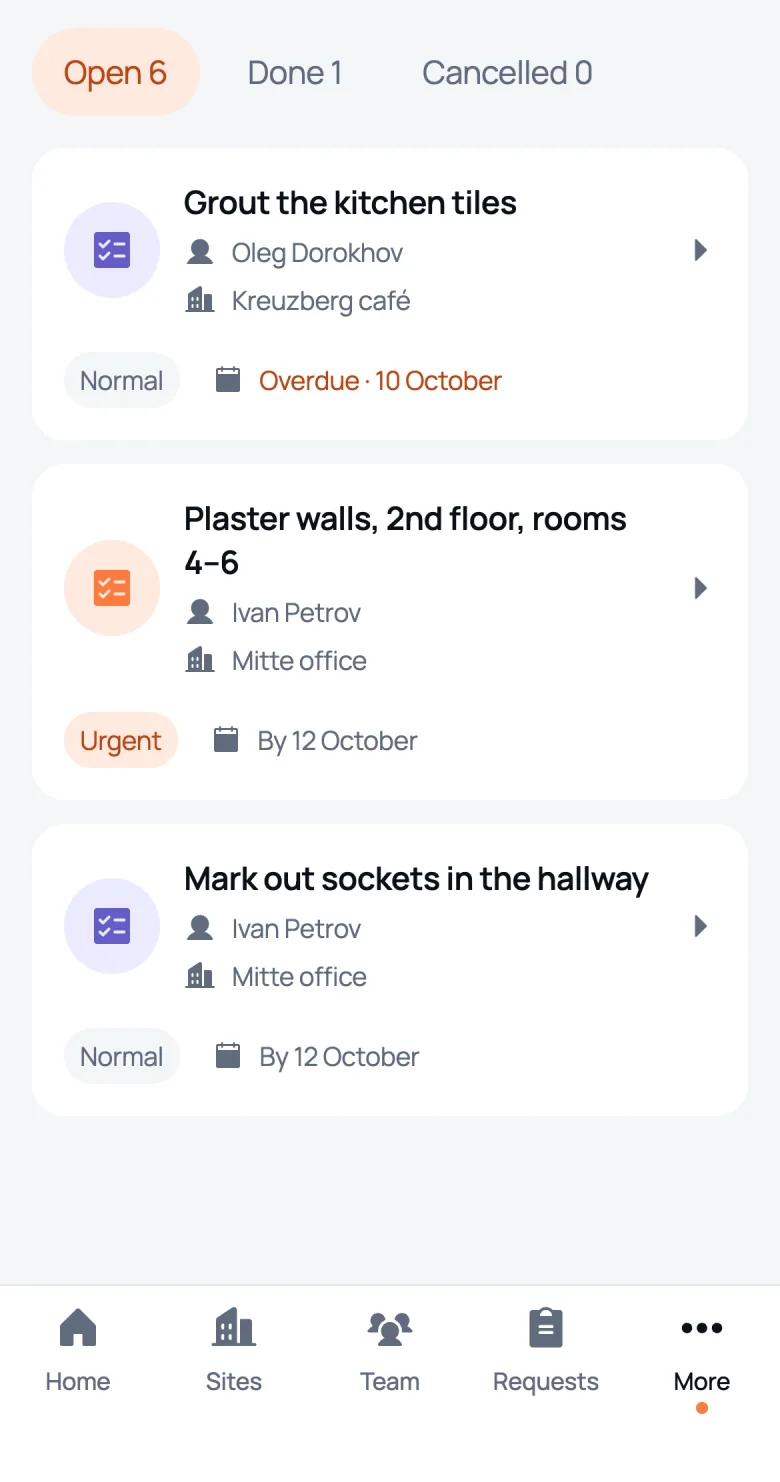
A task in half a minute: site, assignee, due date and urgency. The worker marks it done with one tap.
Free: 1 site and 1 worker
A task in half a minute
A task app that knows your sites. You can only pick an assignee from the people assigned to the site.
build a task
Site
Assignee only people on this site
Urgency
Due
We Do
New task assigned
Bau Team
Site: Mitte office
Worker: Ivan Petrov
Plaster walls, 2nd floor, rooms 4–6
Urgent · by 13 October
Open in We DoDone with one tap
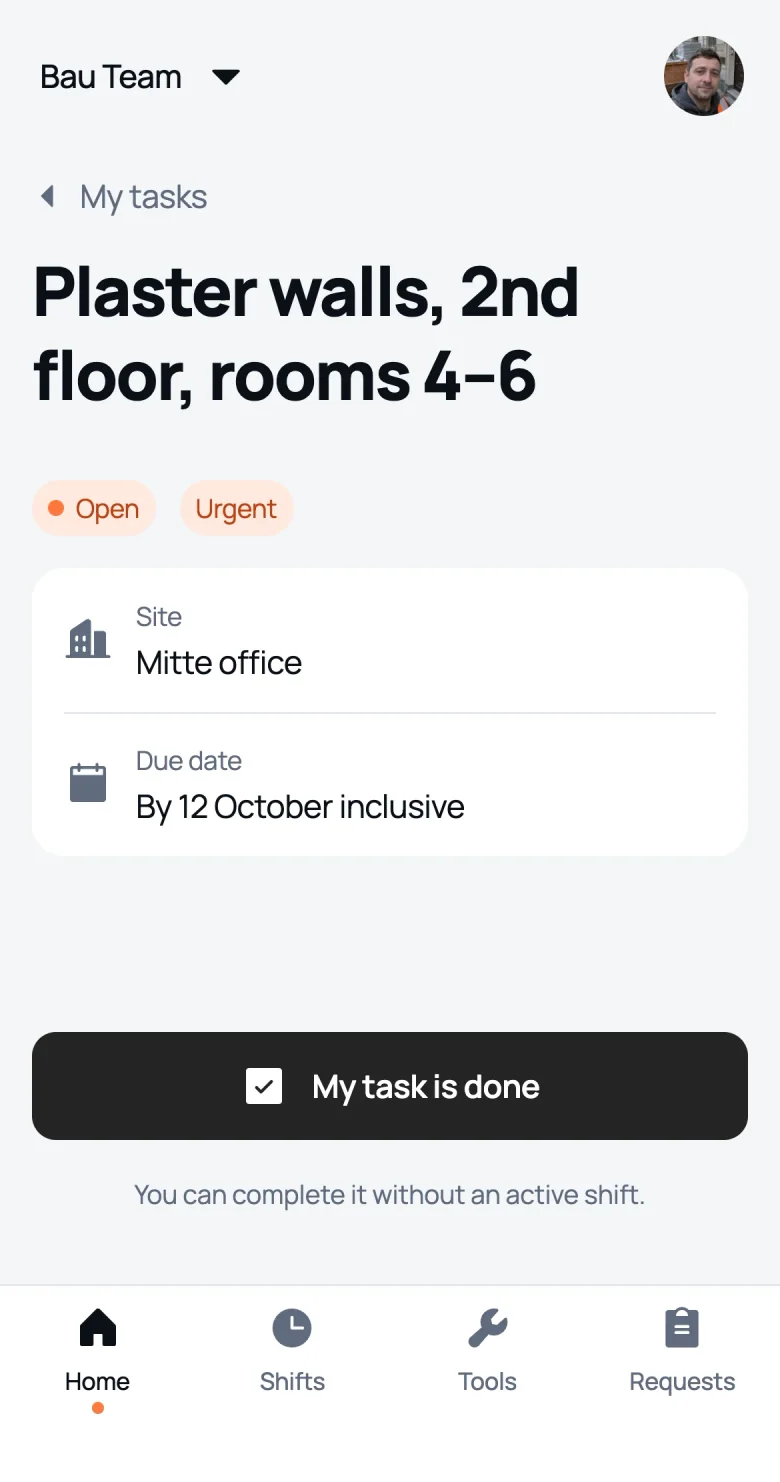
Track what’s done without phone calls. A worker can mark a task done even off shift, and the manager gets a message right away.
tap for the worker
and the manager sees
We Do
Task done
Bau Team
Site: Mitte office
Worker: Ivan Petrov
Plaster walls, 2nd floor, rooms 4–6
Open in We DoArrives as soon as the worker taps the button
Overdue stands out
Keep due dates in check across every site. The due date and urgency can change, and the history keeps who changed what and when.
- Grout the kitchen tilesOleg Dorokhov · Kreuzberg caféOverdue · 10 October
- Plaster walls, 2nd floorIvan Petrov · Mitte officeUrgent · by 12 October
- Strip old tiles in the bathroomSergey Kozlov · Pankow houseUrgent · by 12 October
- Drywall in the bedroomDmitry Morozov · Pankow houseby 14 October
- Prime the kitchen ceilingIvan Petrov · Mitte officeDone · 12 October, 10:40
- Clear rubble after the strip‑outSergey Kozlov · Pankow houseDone · 11 October, 16:05
- Paint the facadeOleg Dorokhov · Kreuzberg caféCancelled · 11 October
- Task created · Maxim Tkachenko
Who goes where tomorrow
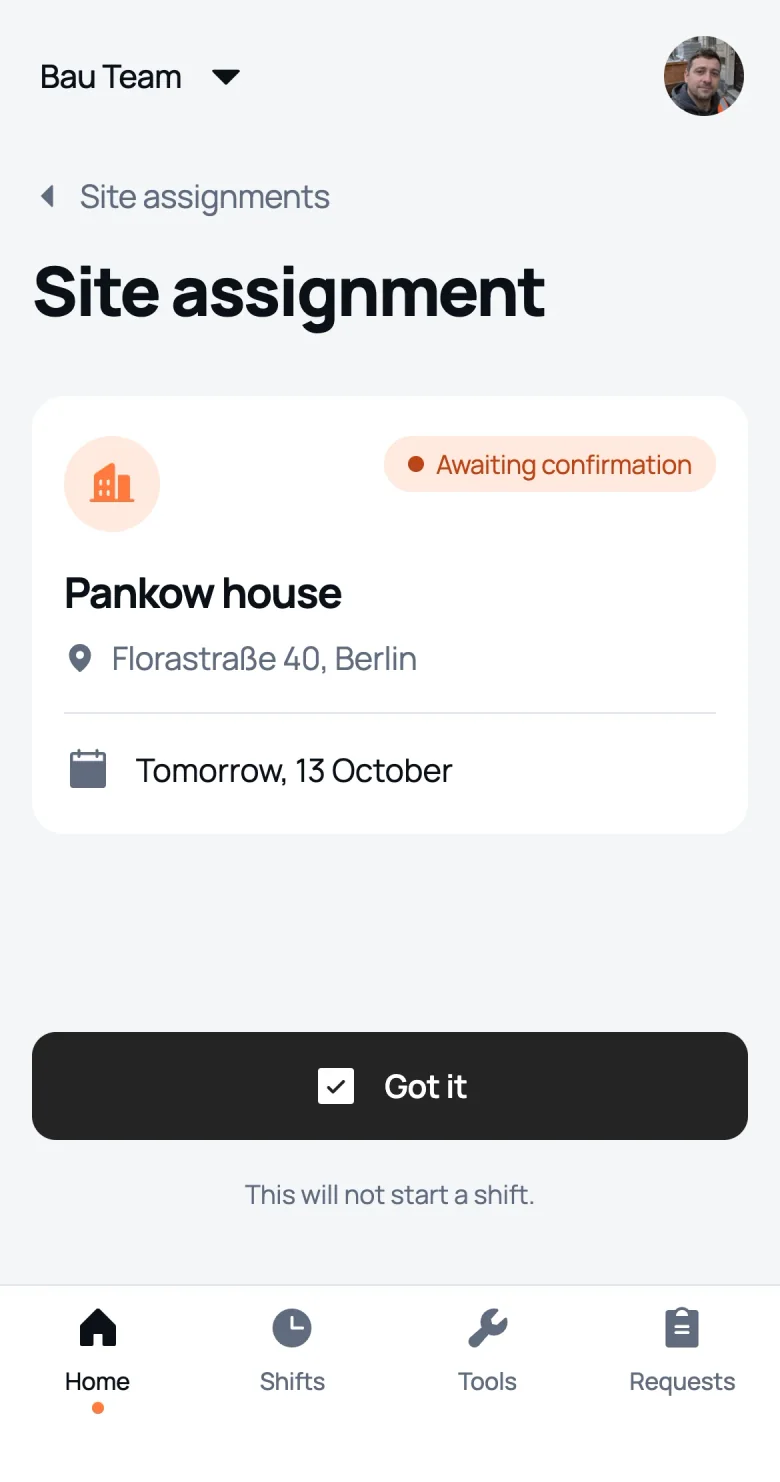
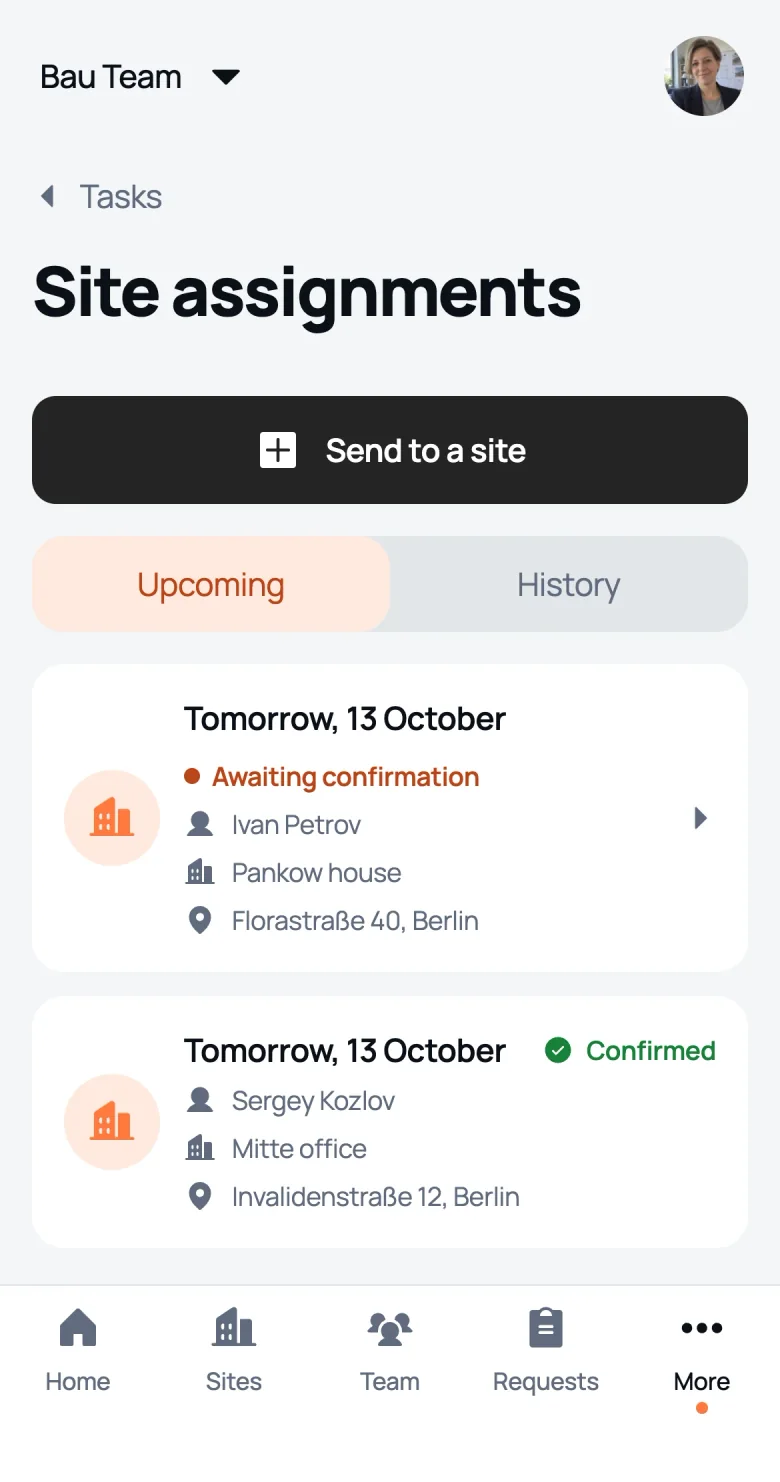
Instead of a crew rota in the group chat: the manager sends a worker to a site for a given day, and the worker confirms they’ve seen it.
Tue 13 · assignment
Mitte office
Invalidenstraße 12
 Sergeyseen
Tue 13 · assignment
Pankow house
Florastraße 40
 Ivanwaiting
Tue 13 · assignment
Kreuzberg café
Oranienstraße 18
 Olegseen
Mon 12Tue 13Wed 14Thu 15Fri 16
IvanMittePankowPankowMitteMitteSergeyPankowMitteMitteMitteOlegKreuzb.Kreuzb.Kreuzb.Pankow DmitryPankowPankowPankowPankow
seennot seen yet
this is what Ivan sees
We Do
📅 Assignment: go to site
Bau Team
Date: Tuesday, 13 October
Site: Pankow house
Address: Florastraße 40, Berlin
Confirm that you’ve seen the assignment. This doesn’t start a shift.
Who assigns tasks
Worker
Sees their tasks and site assignments, marks work done and confirms assignments. Can’t see other people’s tasks.
Foreman
Assigns tasks and sends people to their sites. Sees who has seen an assignment and what’s done.
Owner
Every task and assignment across the company: open, done, cancelled and overdue.
FAQ
How do I assign a task to a worker?
Tap “Assign task”, pick the site and the worker, describe what needs doing and, if you like, set a due date and urgency. The worker gets a Telegram message with the task and site right away.
Can I assign tasks in Telegram?
Yes. We Do runs inside Telegram as a mini app. Tasks are set in the app, and notifications about new, changed and finished tasks arrive in the We Do chat.
Who can I assign a task to?
Any worker assigned to the task’s site. That way a task never goes to someone who doesn’t work there.
Who can assign tasks?
The owner across the whole company and a foreman on their own sites. A worker sees only their own tasks and marks them done.
What if the due date passes?
The task stays open and is flagged overdue with the date. A manager can move the due date or change the urgency, and the worker gets a notification.
Can I edit a task?
You can change the due date and urgency. The assignee, site and description stay as they are: other work gets a new task. Every change shows in the task history.
How is a site assignment different from a task?
A site assignment says where a worker should go on a given day. A task says what to do. The worker confirms the assignment with “Seen”, and the manager sees who has seen it.
Does “Seen” start a shift?
No. It only confirms the worker knows where to go. They start the shift separately, with a photo, when they begin work.
How much does task management in We Do cost?
Free for one site and one worker, for good, with every feature. Bigger crews from €29 a month, the price depends on the number of people, more on the pricing page.